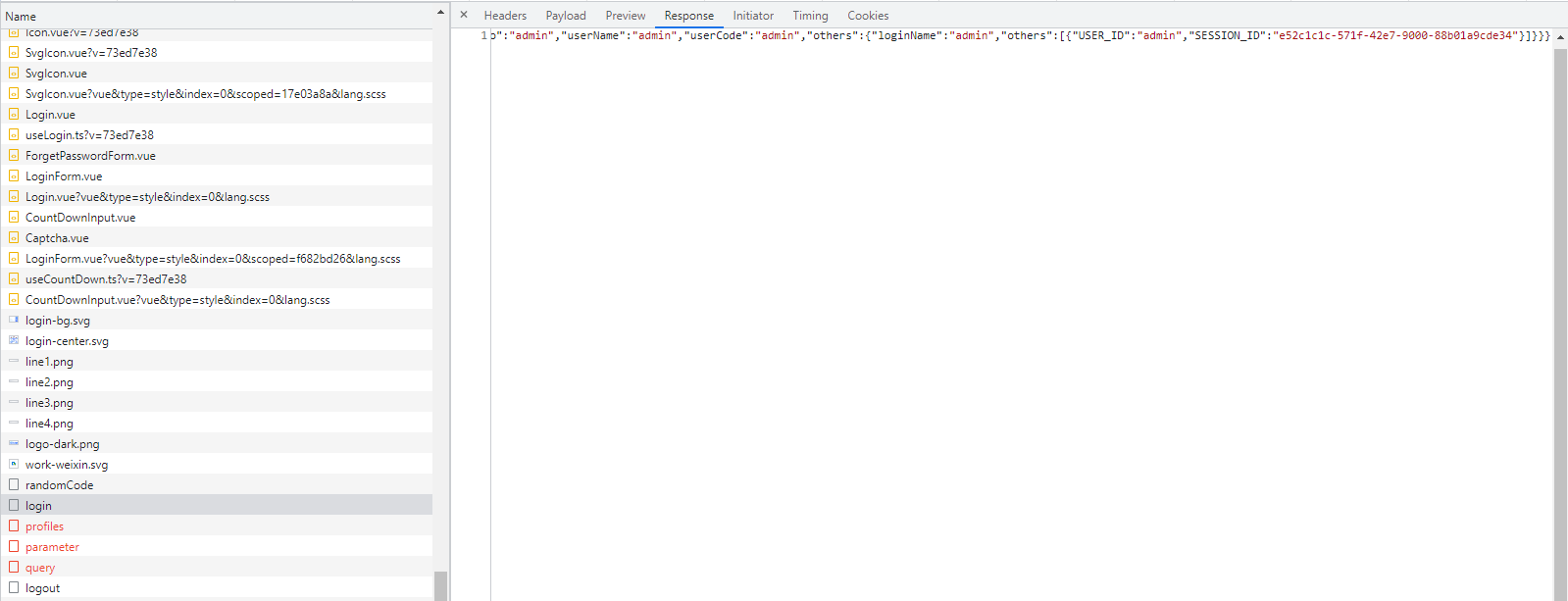
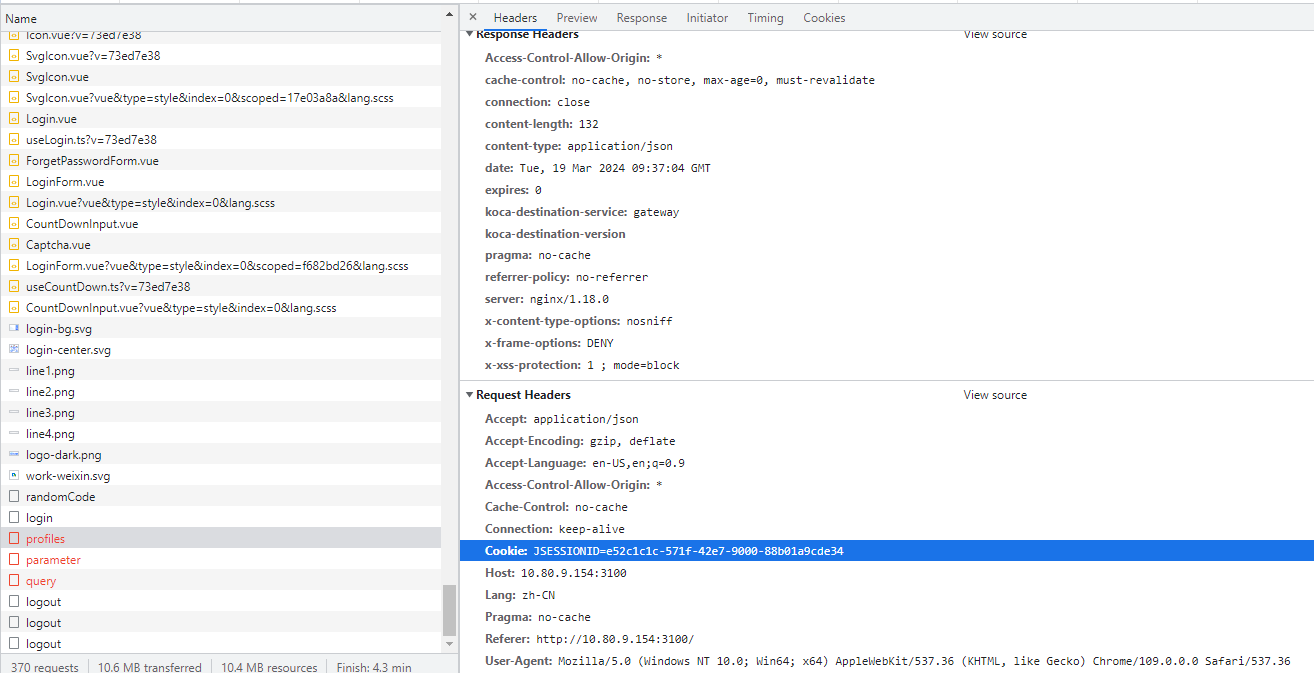
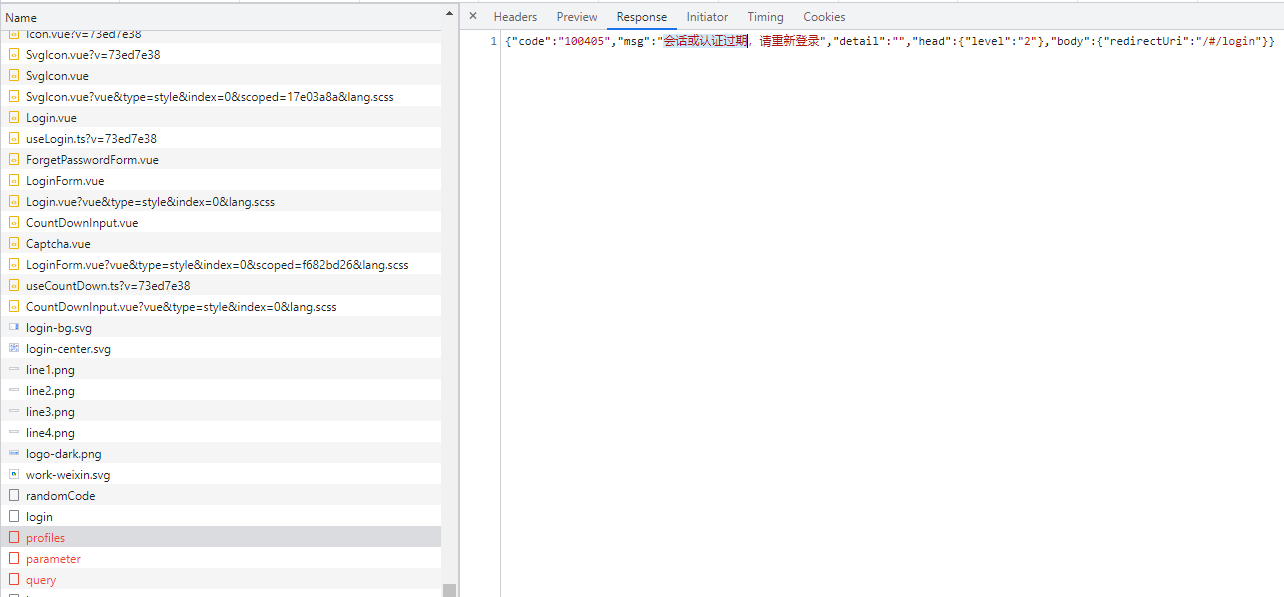
基于admin-basic模块,把默认的token模式改为session模式。后台登录看到成功,前端报会话或认证过期。
auth.yml
koca:
  security:
    strategy: session
    enable: true
    auth-strategy:
      strategy-name: kpbs
    session-storage:
      strategy-name: memory

    auth:
      randomCodeSwitch: true
      login-page-url: /#/login
      ignored-url:
        - /management/** # 默认全部需要认证
        - /*/v2/api-docs
        - /*/v3/api-docs
        - /*/swagger-resources
        - /bex/api-docs
        - /unity-socket/**
        - /api/gateway/routes
参照在线文档和论坛帖子写了3个java类:
KpbsLoginServiceImpl.java
@Service
public class KpbsLoginServiceImpl implements LoginService<Principal> {

	private static final Logger logger = LoggerFactory.getLogger(KpbsLoginServiceImpl.class);

	private SpringSecurityProperties springSecurityProperties;

	private RemoteAuthUtilService remoteAuthUtilService;

	public void setRemoteAuthUtilService(RemoteAuthUtilService remoteAuthUtilService) {
		this.remoteAuthUtilService = remoteAuthUtilService;
	}

	public void setSpringSecurityProperties(SpringSecurityProperties springSecurityProperties) {
		this.springSecurityProperties = springSecurityProperties;
	}

	@Override
	public TrustedPrincipal authenticate(Principal principal) throws LoginException {

		String loginName = principal.getLoginName();
		String password = principal.getPassword();
		Map othersMap = principal.getOthers();
		logger.info("调试信息 authenticate: " + othersMap);

		List dataList = new ArrayList();
		Map userData = new HashMap();
		userData.put("USER_ID", loginName);
		dataList.add(userData);

		TrustedPrincipal trustedPrincipal = new TrustedPrincipal();

		Map<String, Object> map = new HashMap<>();
		map.put("others", dataList);
		trustedPrincipal.setOthers(map);
		trustedPrincipal.setUserNo(loginName);

		return trustedPrincipal;
	}

	@Override
	public String getAuthStrategy() {
		return "kpbs";
	}

}
KpbsLoginSuccessSecurityImpl.java
@Service
public class KpbsLoginSuccessSecurityImpl implements LoginSuccess<HttpServletRequest, HttpServletResponse> {
	private static final Logger logger = LoggerFactory.getLogger(LoginSuccessSpringSecurityImpl.class);

	private SpringSecurityProperties springSecurityProperties;

	@Override
	public void onLoginSuccess(HttpServletRequest request, HttpServletResponse response,
			TrustedPrincipal trustedPrincipal) {
		logger.info("调试信息 LoginSuccessSpringSecurityImpl onLoginSuccess");

		Map<String, Object> map = new HashMap<>(16);
		map.put("loginName", trustedPrincipal.getUserNo());
		map.put("userNo", trustedPrincipal.getUserNo());
		map.put("userName", trustedPrincipal.getUserNo());
		map.put("userCode", trustedPrincipal.getUserNo());
		map.put(SecurityConstants.OHTERS_NAME, trustedPrincipal.getOthers());

		SecurityResponseUtil.setResponseApplicationUtf8Content(response);
		try {
			String sessionId = request.getSession().getId();
			List otherList = (List)(trustedPrincipal.getOthers().get("others"));
			logger.info("调试信息 onLoginSuccess: " + otherList);
			Map others = (Map)otherList.get(0);
			others.put("SESSION_ID", sessionId);

			request.getSession().setAttribute(sessionId, others);

			Result<Map<?, ?>> data = new Result<>();
			data.setBody(map);
			SecurityResponseUtil.jsonOut(response, data);
		} catch (IOException e) {
			logger.error(e.getMessage(), e.getCause());
		}
	}

	public void setSpringSecurityProperties(SpringSecurityProperties springSecurityProperties) {
		this.springSecurityProperties = springSecurityProperties;
	}
}
KpbsLoginFailureSecurityImpl.java
略
前端登录后,后台日志:
[2024-03-19 17:36:36.461] INFO [admin,cffa34e46a87dde3,7461acc7a8f6473b,] 17140 — [http-nio-8081-exec-3] c.s.k.a.s.a.d.KpbsLoginServiceImpl 42: 调试信息 authenticate: {remoteIp=127.0.0.1, sessionid=fc9e7cb7-2850-4c93-9b43-b816e3b3b1c7, others=}
[2024-03-19 17:36:36.461] INFO [admin,cffa34e46a87dde3,7461acc7a8f6473b,] 17140 — [http-nio-8081-exec-3] s.k.a.s.a.d.KpbsLoginSuccessSecurityImpl 33: 调试信息 LoginSuccessSpringSecurityImpl onLoginSuccess
[2024-03-19 17:36:36.462] INFO [admin,cffa34e46a87dde3,7461acc7a8f6473b,] 17140 — [http-nio-8081-exec-3] s.k.a.s.a.d.KpbsLoginSuccessSecurityImpl 46: 调试信息 onLoginSuccess: [{USER_ID=admin}]
前端碰到的问题:
前端工程 config.json, JWT_TOKEN_ENABLE 默认true,改为false问题一样。
请koca老师抽空解答一下~